let firstItem = res.items[0];
console.log(firstItem);
let toInsert = {  "Artiste": firstItem._id,  "Title": $w("#input14").value             };
$w.onReady(function () {
//TODO: write your page related code here…
});
import wixData from ‘wix-data’;
export function button1_click(event, $w) {
wixData.query('Titres')
.eq('Artiste', $w('#input14').value)
	.find()
	.then(res => {

let firstItem = res.items[0];
console.log(firstItem);
let toInsert = { “Artiste”: firstItem._id, “Title”: $w(“#input14”).value };
wixData.insert(“Titres”, toInsert)
.then((results) => {
let item = results;
})
.catch((err) => {
let errorMsg = err;
});
});
}
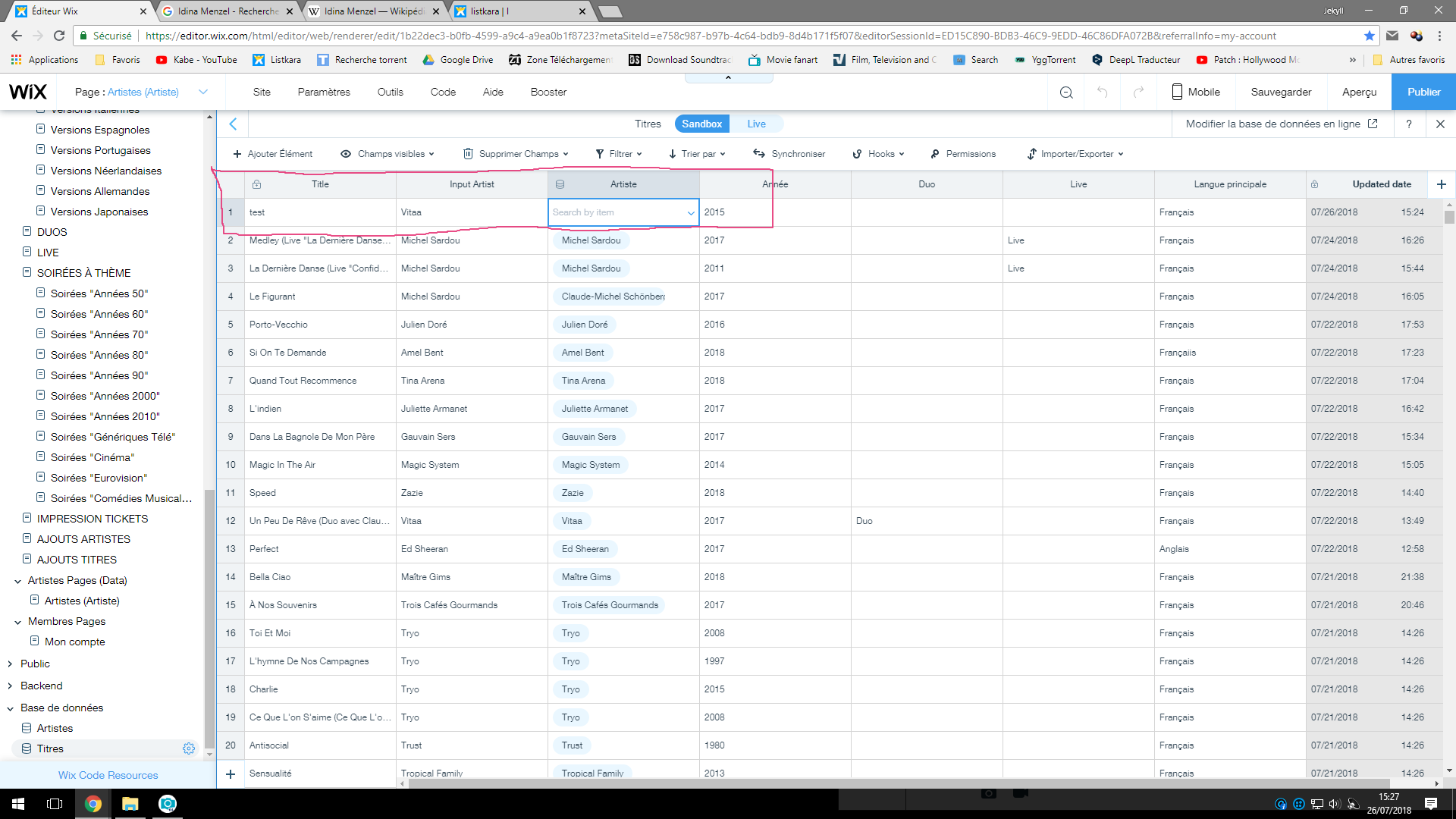
Don’t work… The field “Artiste” still empty 
What should I connect my “Artist” field to? Knowing that the column “Artiste” of my database appears in gray.
Hi Karl,
there were multiple issues with the way you set up the page, i tried to help you out with the code fixes.
you do not need the data sets in the page and implement the on click yourself.
please look at the code here:
import wixData from 'wix-data';

export function save() {
 //Vitaa
    wixData.query('Artistes')
        .eq('title', $w('#input14').value)
        .find()
        .then(res => {
 let firstItem = res.items[0];
 let toInsert = { "artiste": firstItem._id, "title": $w("#input14").value };
            console.log(toInsert);
            wixData.insert("Titres", toInsert)
                .then((results) => {
                    console.log(results);
                })
                .catch((err) => {
                    console.log(err);
                });
        });
}
when creating the item to insert, continue mapping all the input fields to the field keys not the name.

i strongly recommend you wait for a soon to be release feature that will do the replacement of the item name with the id like we do here above, just without code but with a new special dropdown.
and please also consider referring to Wix Arena, to get some more help from a professional developer for further hands on coding work in case you will need such
good luck!
Shlomi
Thanks for everything.
Just one last question and I promise, I won’t bother you again.
The code you gave me works fine. However, my other fields (Titles, Years, Language…) no longer work by connecting to the database. I guess I only have to do it by code now. How do I add after your code to enter the other data?
Depends on the “Titles” database
For example the field for the year : it is “imput9”.
its keyname : annee
Can you give me your previous code by adding the one that corresponds to the year that I have an idea, please.
And how to make the fields empty, once the validation is done.
I promise, after that, I won’t bother you again.
Hi Karl,
look at this code here:
let toInsert = { "artiste": firstItem._id, "inputArtist": $w("#input14").value, "languePrincipale": $w("#input10").value };
if you will follow on the same example with input14, but the language input now for example exist in your form under the id input10:
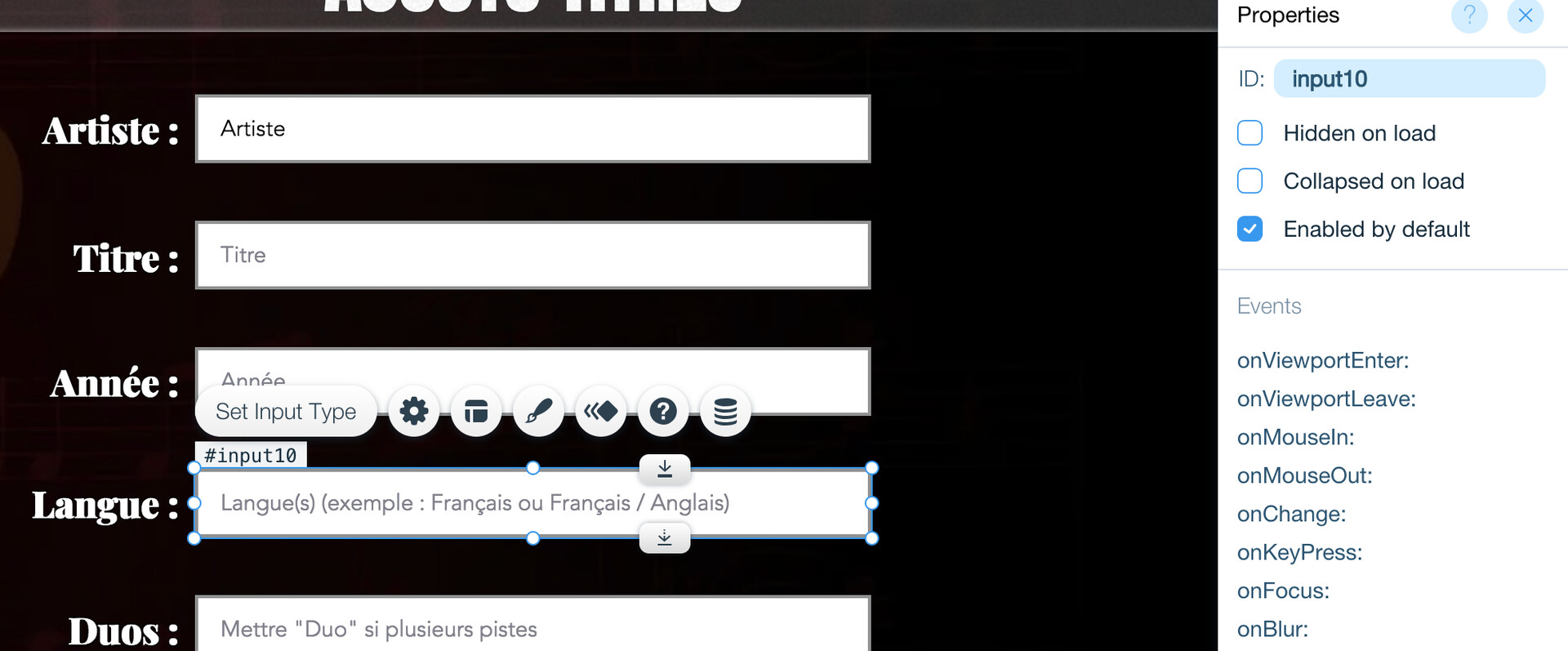
in the collection you want to map it to the following field, under field key:

you are not bothering anyone, however before we release the new reference input component, the code is rather complex and require multiple steps. having some help from a professional coder might be helpful.
best of luck!
Shlomi
Shlomi, you are a god !  Thanks thanks thanks !