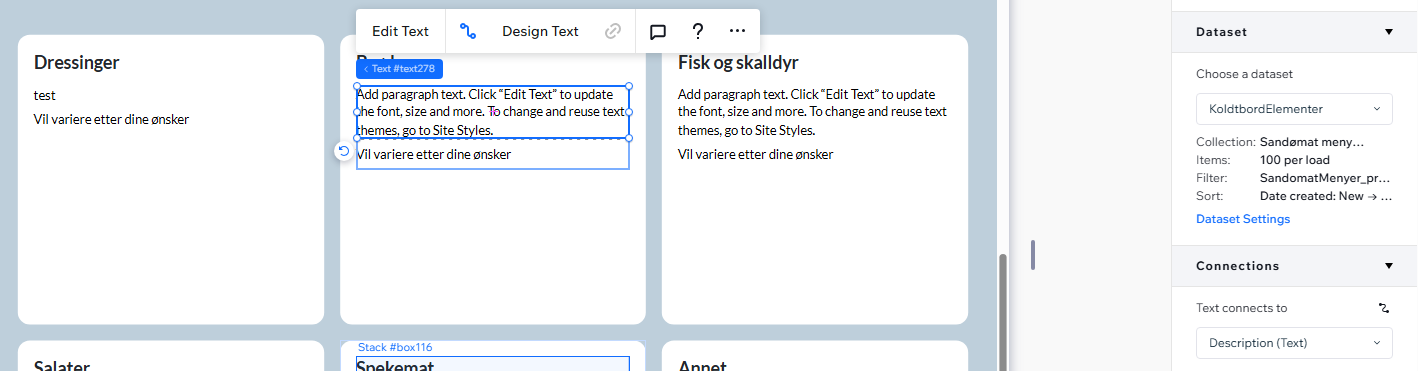
Thanks for the feedback and currently it is the expected behavior since there are instances you might the default text/media on a page/item/row.
If you want to not display it if the field is empty, there is a tutorial how to hide elements so nothing shows.
There might be instances where you want the default text to appear, but then there’s no way of setting the default text.. Where do I do that?
I’d argue it’s not an expected behavior at all. I’d expect it to not render the element if there’s no value in the field in the dataset, atleast leave it blank, and maybe I’d have an option in the right panel to add a default value if there’s no value in the field.
Edit: Seems like if I disconnect the text element from the dataset alltogether I’m able to edit the default text, but when I remove the text it just straight up deletes the whole element..
I was somehow able to do it for one element without it being deleted, and I’m able to duplicate it and then reposition it. But I cannot reproduce it again.
In the Collection Editor, you can set default values for each field.
So, if you just want to display a default value, there’s no need to write any special code.
However, if you want to add more complex logic—such as hiding specific elements in a repeater when a value is missing—then, as Rob mentioned, you’ll likely need to use some code.