i am new with wix code so i need to know how can i use buttons that will increment text with 1 when the user click and then i need the number of clicks to be stored in database and then maker this number the same when the page is reloaded. thanks in advance.
Hello Rajaa,
To do that follow the following steps:
- add a text box with an initial value (ex: 0)
- add a button, and add on click event for the button
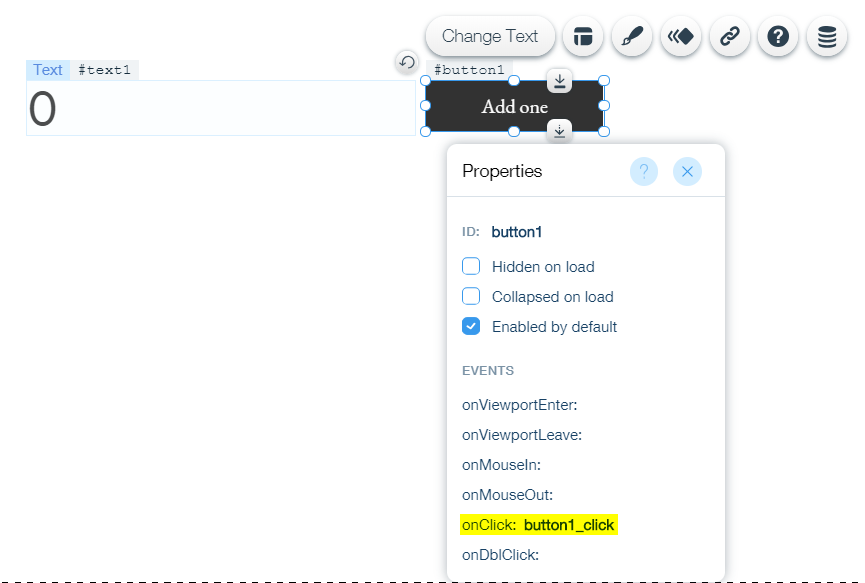
-inside the on click function add the code to increment the value of the text
-
get the value of the text
-
parse it to integer
-
add one to it
-
set the text back to it
-to save the value in the collection use to insert function –here
-to keep the value after refresh save it in the session and set it to the text on page load –here
that’s how the code wold look like:
import wixData from 'wix-data';
import {session} from 'wix-storage';

$w.onReady(function () {
//if there is a value saved in the session set the text to it
  if(session.getItem("count")){
        $w('#text1').text = session.getItem('count')
    }

});

export function button1_click(event) {
 //to add one to the original value
 let count = parseInt($w('#text1').text, 10) + 1
    $w('#text1').text = count.toString()

 //to inset it in the collectin
 let toInsert = {
 "title": count
    };
    // insert to collection
    wixData.insert("myCollection", toInsert)
    // update session value
    session.setItem("count", count)

}
Best
Massa
thanks a lot massa, but how can i see this data when i create it ?
Hello
check this out to know how to set up a Database collection.
Best
Massa