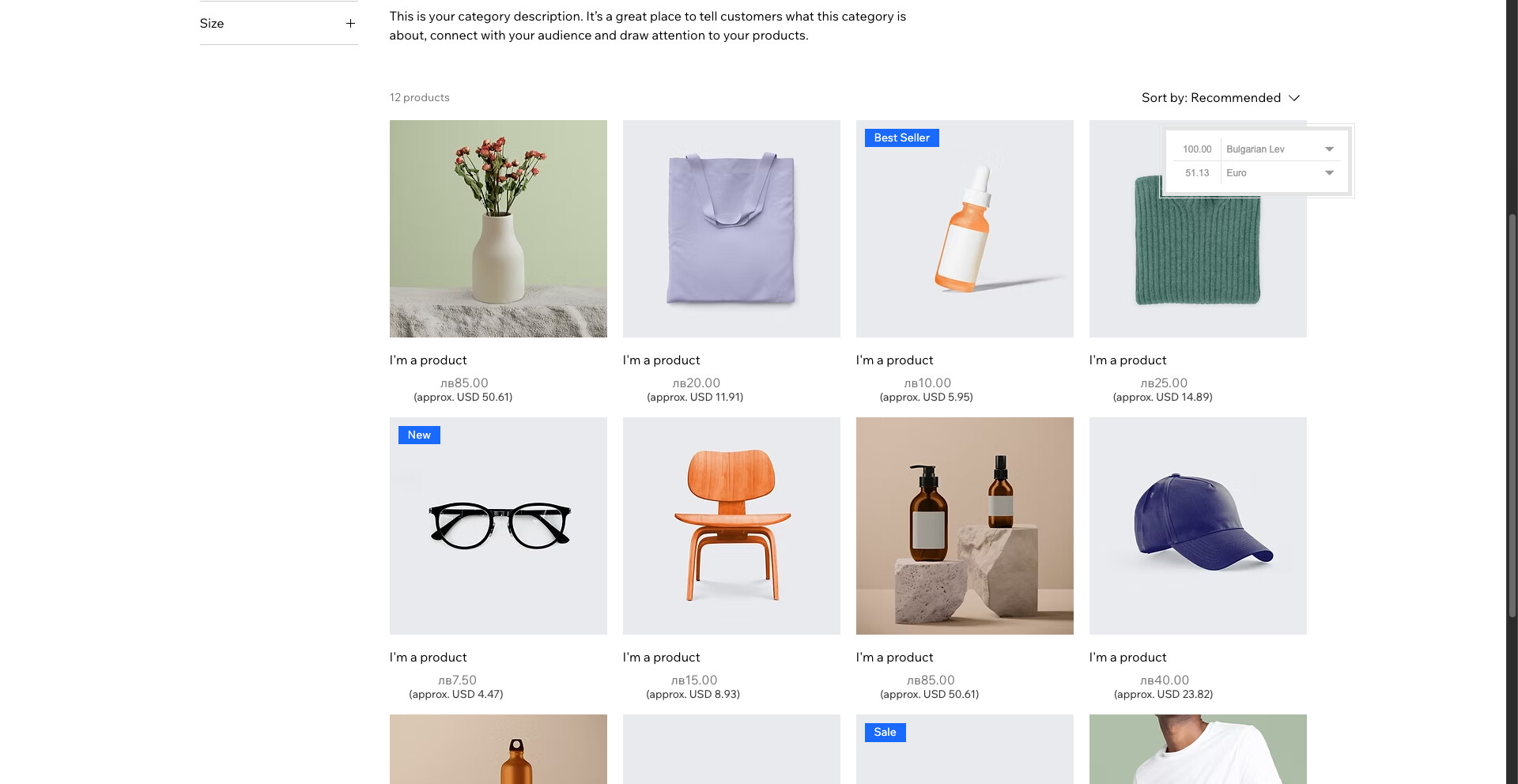
I’m writing from Bulgaria as a professional web designer and business owner working with Wix Stores.
As of August 8, 2025, all businesses operating in Bulgaria — including online stores — are legally required to display prices in both Bulgarian lev (BGN) and euro (EUR). This dual pricing must be shown simultaneously, on all product pages, promotional banners, checkout screens, invoices, and receipts. The conversion must use the fixed exchange rate of 1 EUR = 1.95583 BGN, with the euro value rounded to two decimal places.
Failure to comply with this regulation may result in fines of up to 1 million BGN (~500,000 EUR), depending on the size of the business. The law applies regardless of whether payments are still processed in BGN — it is strictly about how prices are displayed to the customer.
The problem:
Currently, Wix Stores does not offer a built-in option to display dual pricing. The Currency Converter widget only changes the displayed currency, but does not allow simultaneous display of both values. This creates a serious compliance issue for Wix users in Bulgaria.
What I’ve tried so far:
- Manually writing the euro price inside product descriptions
- Using CMS collections with pre-calculated fields
- Adding Velo code to calculate and display the EUR price next to the BGN price
- Checking for available apps or widgets in the Wix App Market
While these workarounds help in some cases, they are time-consuming, not scalable for larger stores, and not suitable for automated updates — especially for businesses with hundreds of products. Most importantly, none of them offer official compliance with the legal formatting rules, which require both values to be equally visible and accurate.
What I’m hoping for:
Please consider introducing a native dual-price display feature in Wix Stores — either:
- a toggle in the Product Settings to show both BGN and EUR prices side-by-side;
- or a block/element that automatically calculates and displays the euro equivalent;
- or even a field in the Store Settings where the fixed exchange rate is applied globally.
Even just confirming whether such a feature is planned or in development would be extremely helpful to many Bulgarian users.
This is a legal, urgent and growing need for the Bulgarian Wix community. Thank you in advance for your support and understanding.