I’m having trouble with
I have some tables on my website. The first column of each table are links to dynamic pages. These work well and allow me to make large edits using just the CMS dataset.
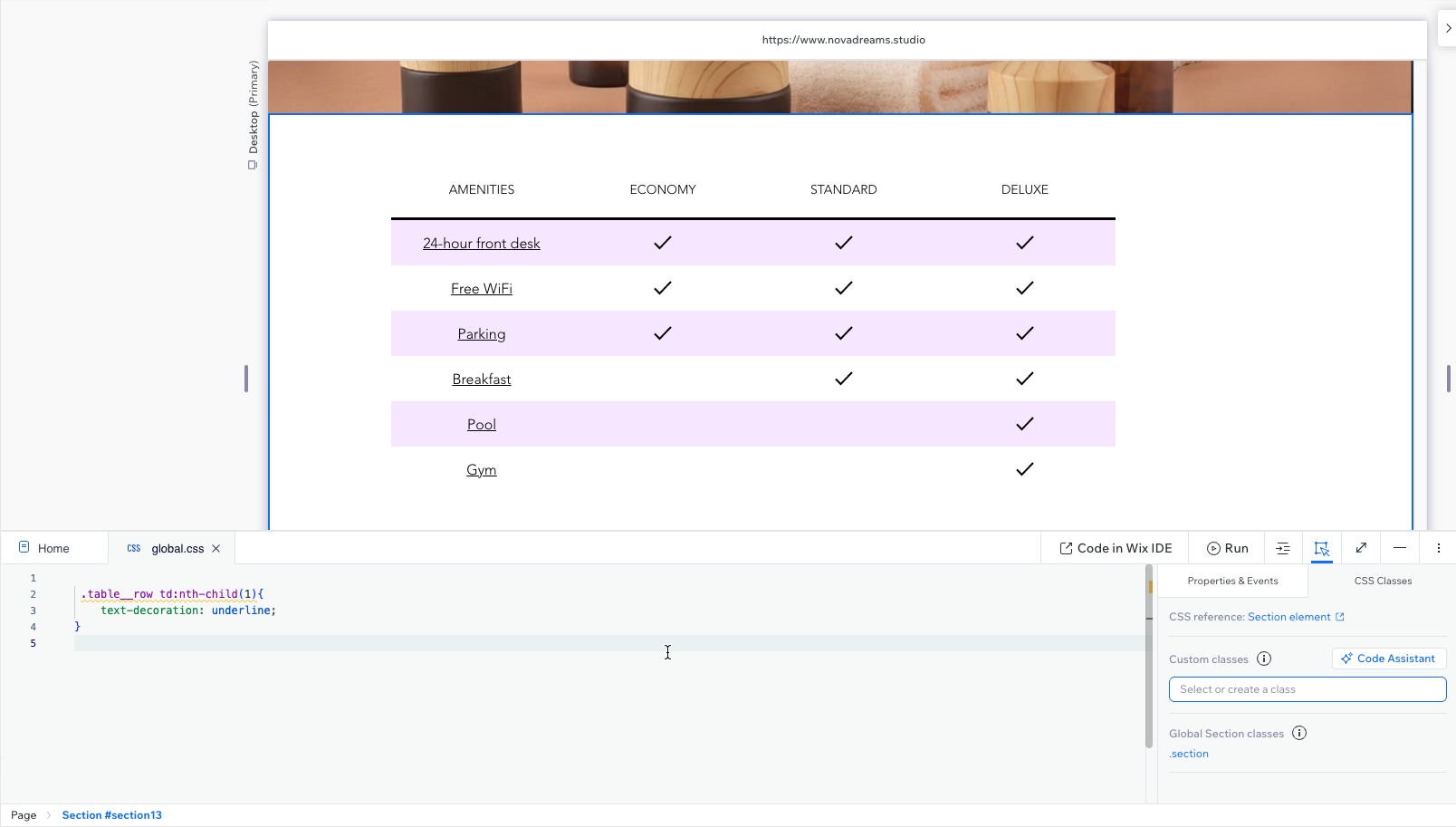
However, thanks to the global settings of a { text-decoration: none; } I can’t find a way of displaying the needed underline in these columns, to show the USER these are links.
So my question is, how do I add/display the text decoration: underline to ONLY THE FIRST column of a CMS driven Wix Studio Table.
For example, I’ve successfully used some CSS to add the smallest bit of extra padding to each row, using the following code:
I did something like I brought up in this thread of using combinators and if you’re not using custom classes, this should work for all of your tables if you want it to be the first row. If you wanted it to be the second row, third row, etc, you can update the child number.
Wow hey thanks so much for this! It works perfectly!
Quick question: where did you find the relevant elements to add to .table__row ? I looked around on the wix velo documentation and couldn’t find td:nth-child(x) anywhere. I’d love to know where I can search for these type of handlers/classes in future scenarios.
ASIDE:
The irony here is that, after applying this solution, I needed to add a Dynamic Page Link (item) connection to each cell in that column (this makes sense: each cell in the 1st column links to its relevant dynamic page) and Wix Studio doesn’t have an option to open this type of link in the current window! Arghh! So many steps forward, with always some steps backwards…
This option is available in other areas; see Buttons links screenshot below with the radio buttons. But Table links do not! See significant LACK OF radio buttons in screenshot below.
That came about from playing around with CSS. Someone mentioned it at a passing and I tested out combinators, selectors and attribute selectors in Studio and sure enough, it worked.
If you would, you can request the ability to on the product roadmap: Product Roadmap
I haven’t tested it out yet but if you’re feeling comfortable with coding or you know someone who could assist further, I did see this within the documentation which is about table cell events.