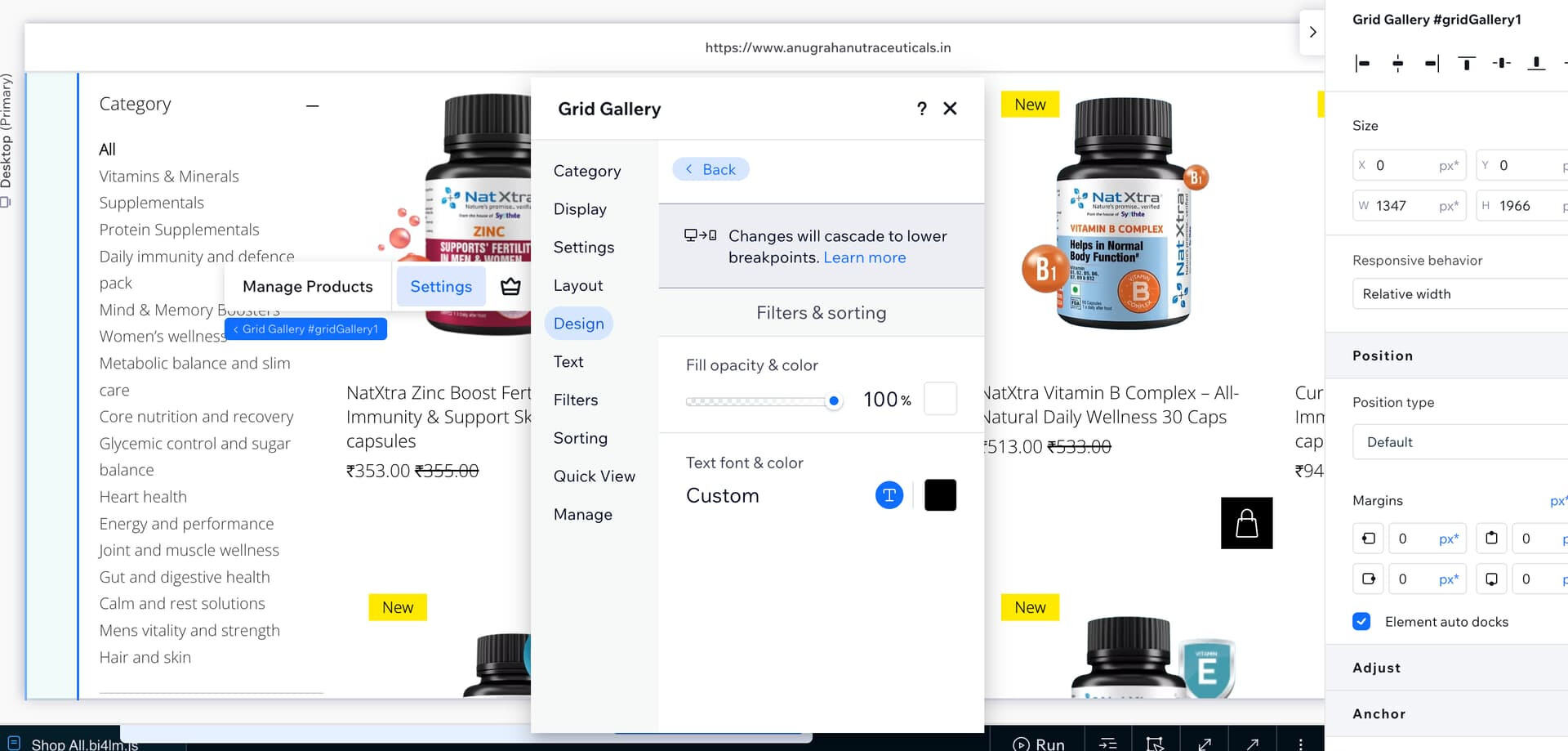
The design of the filter section in Wix Store in the mobile view can't be changed?

Site: https://www.anugrahanutraceuticals.in/shop

In our Wix Store in the mobile view, The filter design appears too Light and we can’t do anything about it.

Screenshots attached.

We have set the filter screen text to black in our design in the wix studio editor in all views desktop, tab and mobile.

Yet it only turns black in our desktop and tab screens, for mobile it comes as this light text which is not readable

Need help on the same, as the customers complaint of the text being not readable

1 Like

You are viewing a grid product gallery. It seems the filter text colour is linked to color 5 in the site styles when checking the deleloper tools

Have you checked the Category Page in the editor. Here you can adjust the colors. Maybe the filter button on mobile is linked to these ???

2 Likes

I’m able to change the filter design and text color in the settings of designs → filter & sort → changing it to black

But the thing is that changes are only getting reflected in the desktop view and not mobile view. hence the problem. checked the category section too did not see a design option there

I’m able to change the filter design and text color in the settings of designs → filter & sort → changing it to black

But the thing is that changes are only getting reflected in the desktop view and not mobile view. hence the problem. checked the category section too did not see a design option there

have a look at my image above. That is where you will see the category filter design - Store Pages - Category Page

1 Like

Ok got it, let me check there!

thank you @Dan_Suhr