I’m having trouble with the blog editor theme color. It does not appear I could edit. The colors aren’t matching the site styles.
Working in WIX Studio
What I’m trying to do Edit the theme color in the blog.
What I’ve tried so far The blog settings in the WIX studio editor does not show theme color. I also checked the Site Styles in the studio editor and they look good to me.
Extra context screenshot attached.
Studio editor on the left and the blog editor on the right. The theme color (photo on the right) isn’t matching the photo on the left.

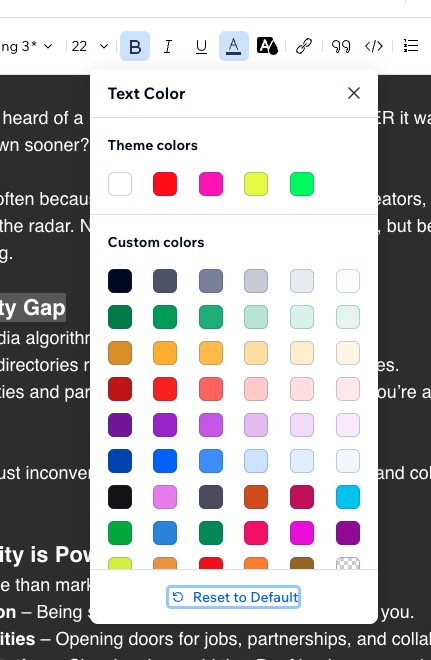
I’m not sure where else to look. Help if you know where to edit the theme colors in the blog. Thanks in advance!