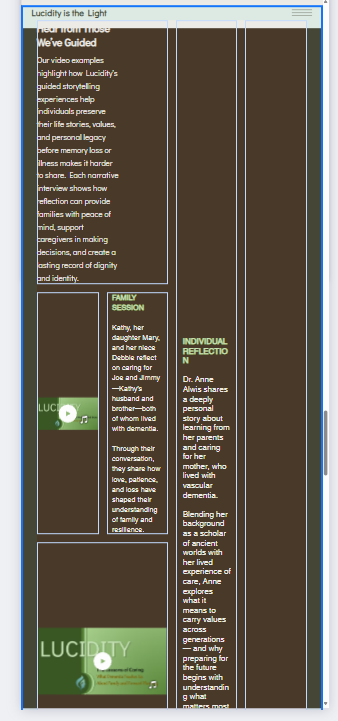
I’m having trouble with
Keep cells aligned across views. My testimonials section is fine in PC and Mobile view. However, Tablet view is wildly different. I can’t really edit in Tablet view due to the ways the cells have been placed.
Site link
What I’ve tried so far
Hiding cells in Tablet view, but this hides the content. Dragging cells in Tablet view, but there is no leeway for movement due to the arrangement.
I would change to advanced CSS grids. This will give you more control over changing positions in different breakpoints without affecting other breakpoints.
I found a pretty good Wix video on how to use Advanced CSS Grids. It’s a bit beyond my designing skills, but I think the next website I work on from scratch, I’ll try playing with CSS.
In the meanwhile, the video noted how to toggle layouts by clicking on the top left corner of a cell. I tried that in the tablet view and was able to change the layout to rows, whereas for some reason it was set to collage.
This made it manageable to correct. Thanks for the CSS tip – without it I would not have stumbled upon a quick fix.