Hallelujah - it works!!! Thank you so much, J.D.!!!
I think I’ll be able to recreate this for another special collection, thanks to you <3 <3 <3
Hallelujah - it works!!! Thank you so much, J.D.!!!
I think I’ll be able to recreate this for another special collection, thanks to you <3 <3 <3
You’re welcome  Happy to help.
It worked like a charm! The Mobile Story Time kits you helped me with are the first link. The second link is our new STEM Backpack collection. Not super-fancy, but I thought I’d share. Thanks again, J.D. 
You’re welcome, and good luck!
Well, damn. Both of my datasets are by default “dataset1” and as I’m just playing with the formatting, moving around buttons, it’s making a mess of things. The “next” button is taking it to the other dataset and dynamic page.
Do you have any thoughts on this? I just keep undoing my changes and trying again.
Googling this topic it says you can’t rename a dataset 
It’s technically impossible to have 2 datasets on the same page with the same property id, so I don’t get what you’re saying. You can have on the same page more than 1 “datasets1”.
I don’t understand how it’s happening either, and I’m not sure how the data is stored. They’re separate pages, but I copied the one and just changed the info. I’ll keep backing out when Preview mode starts switching between the two with “next” or “previous.” It just means I can’t do my usual OCD fiddling with the placement of text and boxes
The dataset property id is local per page. There’s no harm in having 2 different “dataset1” on separate pages.
Good to know. But my page (at least Preview mode) seems to be confusing the two
So you’re doing something wrong there. Did you connect the dataset to desired collections on both page?
I thought so. I mean, it works until I fiddle with it too much.
WHEW! I hit “Publish” and it appears to be working just fine! It must be a glitch in the Preview mode.
@jonatandor35 HOORAY!
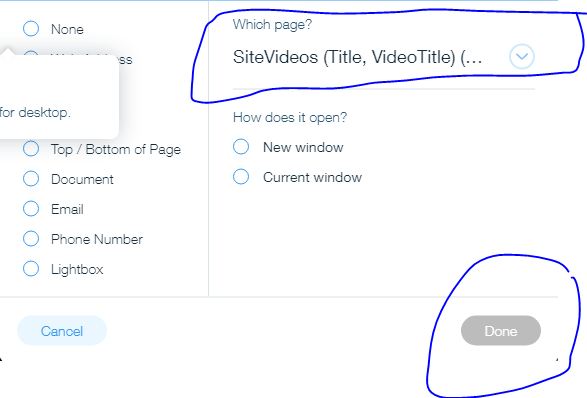
can anyone please tell me whats wrong here? why is that “Done” button locked?
can anyone please tell me whats wrong here? why is that “Done” button locked?

