I am filling a Timeline repeater with videos/video data from a CMS based on the week of the year the video was produced in (weeks 1-52). When a user clicks on the video in the repeater, I want them to be directed to a Single video page “Archive Video - L2”, based on the video they clicked on in the repeater.
Working in: Wix Editor, Dev Mode, CMS, etc.
Site link: UMONTV.US
What I’m trying to do
Wix Editor links from the CMS allow me to select the “Archive Video - L2” dynamic page but I have no way to tell the Page which video is to be displayed - only the video group. This doesn’t work and reproduces the list page in a poor fashion.
The code I’ve tried is:
$w.onReady(function () {

    loadTimeline();

    $w("#TimelineRepeater").onItemReady(($item, itemData, index) => {
        $item("#timelineImage").onClick(() => {
            let dynamicPageUrl = `/archive-videos-2/${itemData._id}`;
            wixLocationFrontend.to(dynamicPageUrl);
        });
    });
});
If the URL goes to https://www.umontv.us/archive-videos-2/ (Video ID #) , I either get a 404 error or the click defaults to the “Archive Videos - Level 2” dynamic list page which is the list for all videos from that year. The default is ok, but it would be far better to present the user with the video.
I have a similar problem with the Wix Pro Gallery where the videos in that cannot be linked to the exact video, only the group (year in this case 2011OH) as there is no method to feed in the exact video by video ID.
Any help in this area would be appreciated as this should be a simple problem but it’s turning out to be a lot more complicated than I thought!
@noahlovell @DeanAyalon - any thoughts on this. I’m sure the Velo is just a bit off. Also, would it be better to make the onClick go to a Popup or a regular page rather than a dynamic page (well, it would act dynamically since I would seed all the fields but…).
I appreciate the help!
After extensive work, I was able to make the Wix Pro Gallery work using the Manage Media to send users to a the page /archive-videos-2/${itemData._id} but to do so required work on the CMS. My original CMS url for the /archive-videos-2/ was for the Tagged field that supported filtering by the year - the field called Archive Category on the CMS but was really ‘title’ in the CMS backend. That caused the URL for the but called /archive-videos-2/ page to be /archive-videos-2/${itemData.title} which works for most of my system but not for the individual video page that I was sending the data to. to fix this, AND the Timeline above, I needed to change the URL for the Archive Video - L2 (archive-videos-2) page by going into the SEO for that dynamic page here and changing it to _id.
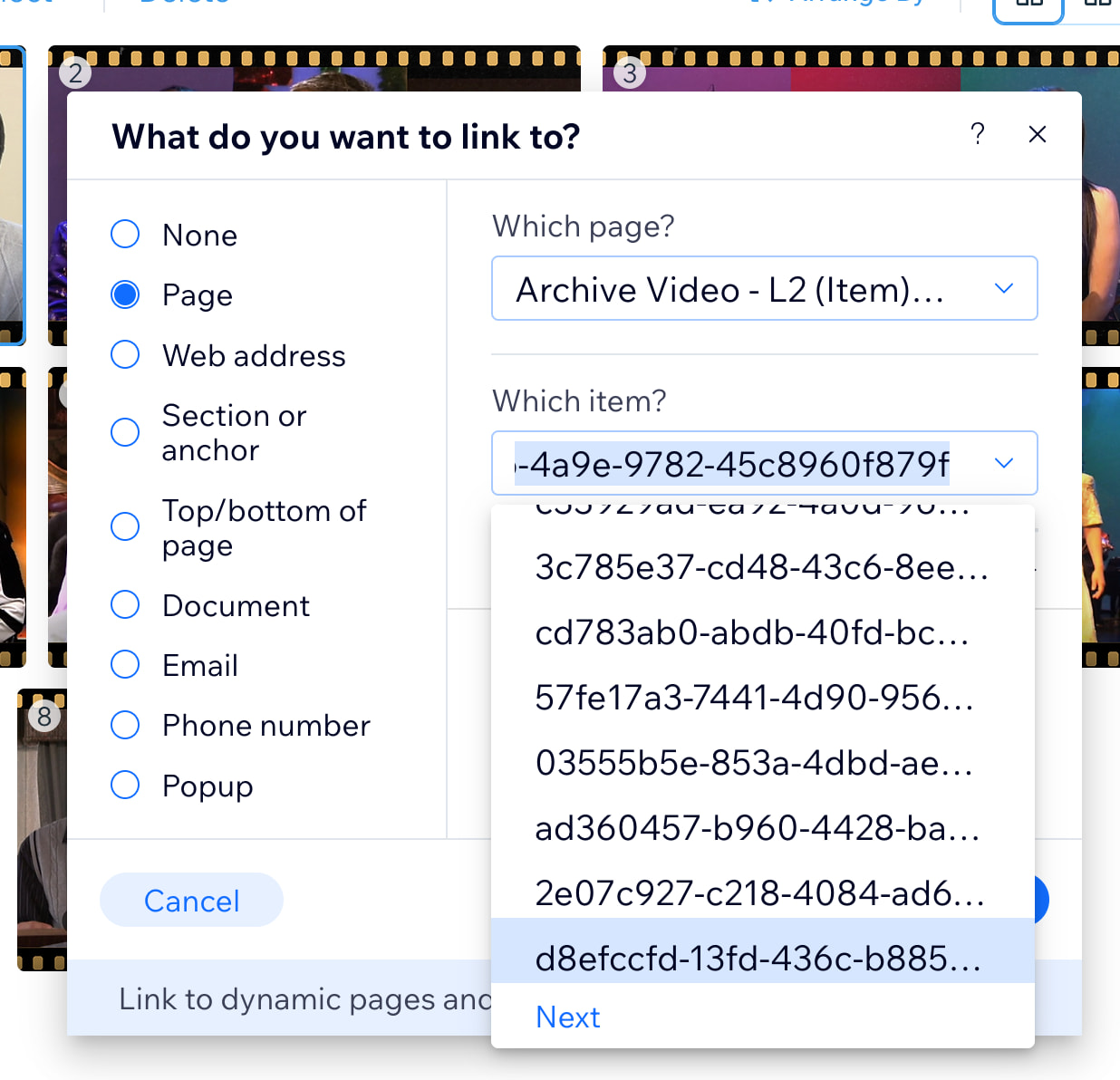
The creation of over 400 different URLs for the videos worked and that allowed me to use the “link to” the Page, select the single video page, /archive-videos-2/ and then select the video by the id number assigned by the system.
Note: UI/UX Bug: In Firefox and Safari on a Mac, the selection of the ID is not easy because, with over 400 videos, the drop-down list is too short and there is a “Next” button at the bottom.
Clicking on the Next button closes the drop-down, making you think that there may be no way to get to your video. However, clicking on the drop-down again, opens the 2nd or 3rd or ??? set of numbers and, eventually, the ID will be there. The closing and opening of the drop-down at these odd times gives the impression that you can’t get to the selection. (Also, you cannot just paste then value into the box - the system needs to find it so, maybe if it’s one of the current list, then it would work but….).
This same solution, using the /archive-videos-2/${itemData._id} url also fixed the Timeline. On the timelineImage, it’s possible to add the “link to” as a parameter so that link passes the _id value from the selected video. I spent a lot of time trying to manually pass this in code using the wixWindowFrontend.to() command and it wasn’t working well.
In essence, problem solved but I hope that others can take away something from this experience, considering the difficulty in accomplishing what seemed to be something simple.