I’m having trouble with
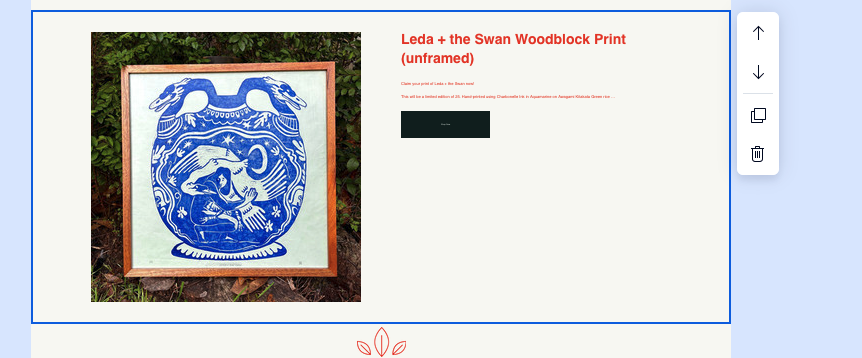
I’m working in Wix Email Marketing, I share products as well as information about upcoming events and utilize elements like buttons and integrated products – for some reason the text on both of these elements is display as incredibly small, completely illegible. There is no way that I can see to directly edit the size of this text.
Working in
Wix Email Marketing
What I’m trying to do
Figure out how to make this legible.
Extra context
Two screenshots below. One of the button element and the other of the product. I would post my settings and edit options, but I’m a new user and the system won’t let me.
You should have the option to adjust the font size of text?
How was the text added, copied and pasted? If so, I’d recommend pasting without formatting:
- Mac: ⌘ + Shift + V
- Windows: Ctrl + Shift + V
Hi! That is only for general text boxes in the Email Marketing system. I am specifically talking about buttons that are included in specific elements, ie, I used a 50/50 split with image, text, and button. While I can adjust the font and what it says, the color, there doesn’t seem to be a way to edit the font size. I’ll attach a new screenshot now that I’m able to with the design options I am given to the side. I did figure out the product section, but I’ve checked all the editable elements of the 50/50 and can’t seem to figure it out. Thank you for your comment!
I have found that most buttons use the Paragraph 2 font and in some areas this font cant be edited. So in site styles adjust this font so it doesnt scale.