What I’m trying to do
What’s the best practice in Wix Studio to add dynamic sections to a Wix product page (for example, feature sections, video sections, CTA sections like below) without writing too much code and without relying on extra monthly subscription plugins?
What I’ve tried so far
I’ve already seen tutorials where the product page is hard-coded, but I’d like to know if there’s currently a more efficient and recommended approach in Wix Studio that keeps the product page dynamic and easily customizable.
There’s a few options like related products that are unique to each page using data to see what users tend to purchase together.
Recently, there was also the option to create product page variants for products which while not dynamic, it does allow you to customize product pages in instances where perhaps you want different designs for different products.
Ultimately, I think it would depend on the information you want to display and how it’s gathered, how often the information might change for all of the products and who will be managing this might help decide which methods to use, in addition to the return on investment for improved sales and improved user experience.
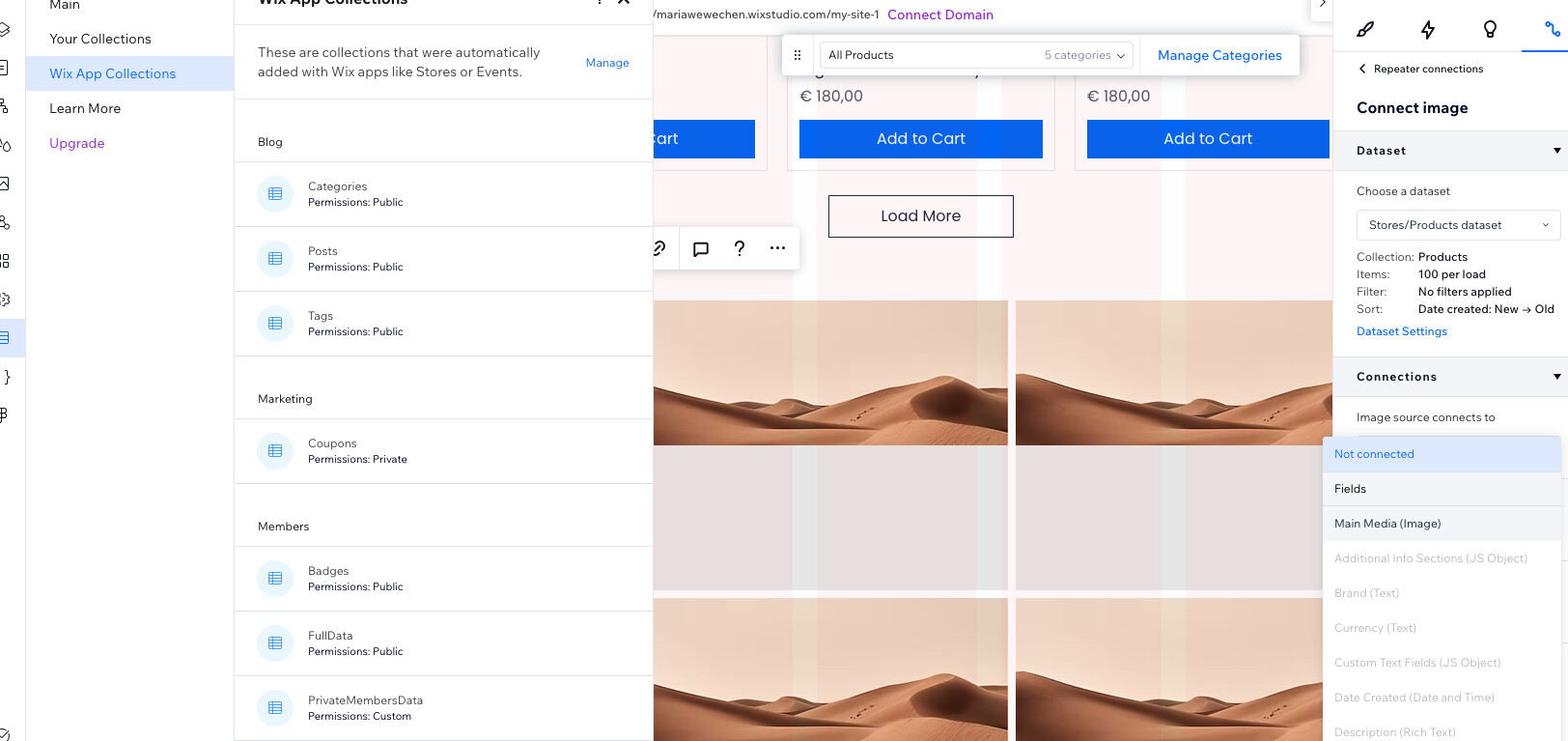
Thank you for your response! it was helpful, i was able to use CMS reference to add additional information to the Wix product page, BUT i wasn’t able to customise the category product page using the repeater connected to the Wix App Collection(Store → Products). The cms connection link is greyed. I wanted to customize the UI Cards with dynamic “Add to Card/See Detail button”.
I’m not sure if I’m understanding it correctly but your screenshot looks correct so you’re on the right path.
I do see the dropdown you have is for the media which looks correct as it’s trying to get the main media. If would like it to add to cart or quick view or go the product page, you would need to choose the Link connects to dropdown since that dictates what happens when someone clicks the image.