I’m having trouble with
I am unable to figure out how to delete old unpublished forms. When it directs me to the editor, there is not form there. These forms are counting against my total available forms.
Working in
I think Wix Studio
Site link https://www.savvystrategysociety.com/ - my home page. this is where it takes me when I click go to site editor to delete the form.
The other form just takes me to the dashboard which indicates that maybe that page no longer exists? I have reviewed my site history to confirm I’ve never had a form on that page.
What I’m trying to do
I am trying to delete these forms
What I’ve tried so far
I searched the community for a similar question and reviewed help docs on deleting forms, but nothing speaks to what to do if you can’t see a form
Thank you for the reply! I don’t see anywhere in the article where it talks about unused forms (it’s an old form). Since it is unused, it does not appear in my editor, so these instructions don’t work. Can you point me to the section of the article where it provides that info? Thank you for your help!
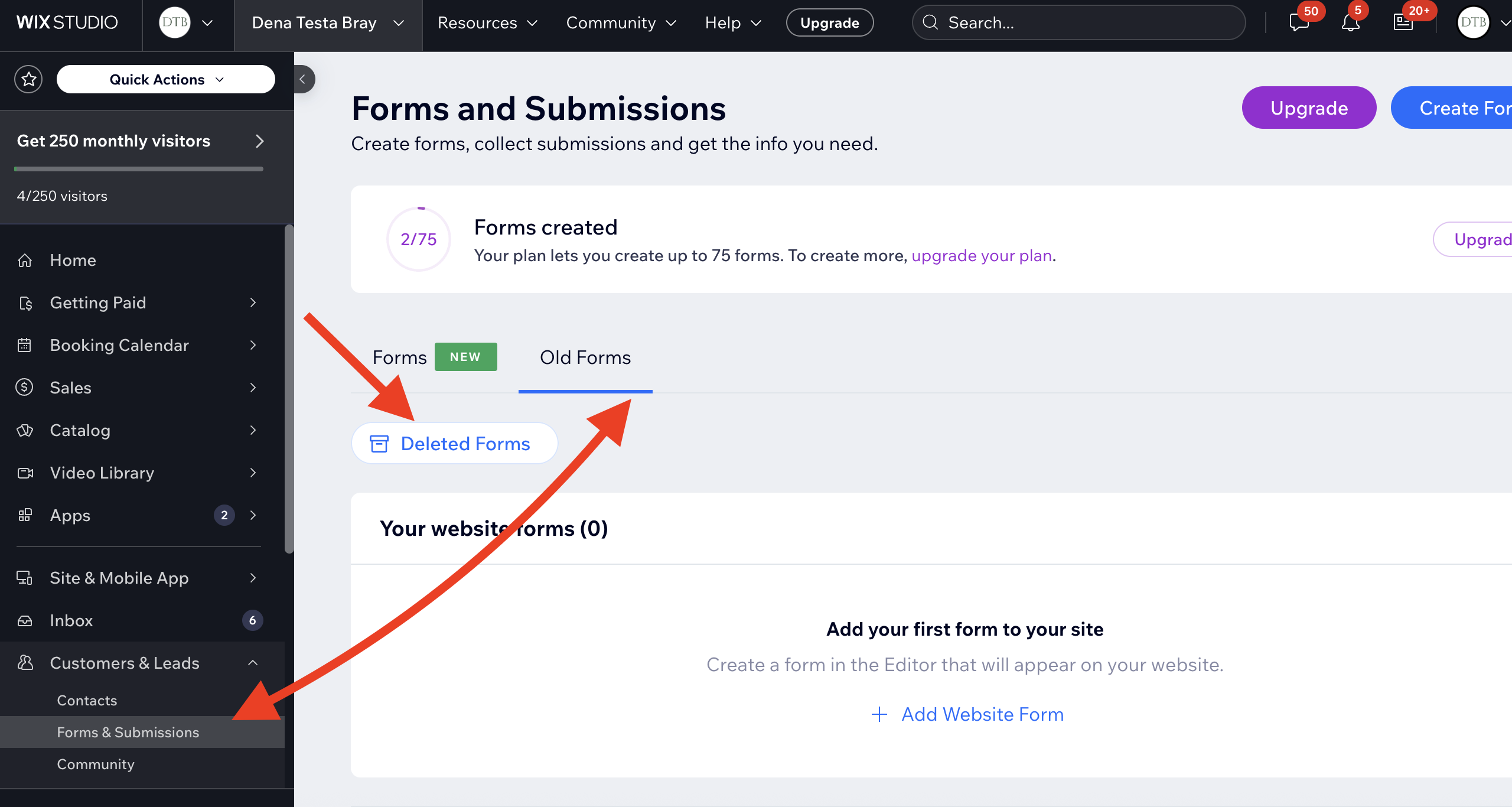
Hi, I’m sorry that the article and my first reply were not helpful. I’m not sure if this applies to you, but if you’ve previously deleted the form, it should be in a folder called ‘Deleted Forms’. I just got to a folder like that on my website by going to my Dashboard> Forms and Submissions > Old Forms> Deleted Forms Folder. See screenshot.
If the form you’re referring to had been deleted at some point, it would be there.
If that does not work for you, I am out of ideas since you have already taken a look for the form via site history.
I would contact Wix support for their help.
Good luck and please let us know how this works out for you.