I’m having trouble with
After clicking click for more option, the form opens but when the form is filled and submitted it shows a error mesaage “ Could not submit form due to a temporary issue. Try again later” The other part is once this issue is fixed, I plan to to automate email that is sent to customer with a generic message that we have received their response. In addition I would also require an email notification sent to my info@ermanz.com email once the customer submits the form.
Working in
Wix Studio Editor
Site link
If this is happening on a site, include a live or test site link www.ermanz.com
What I’m trying to do
Get over with this problem and publish the site
What I’ve tried so far
I have tried, replacing form and checking any red flags in automation but I could not identify the underlying issue.
Extra context
I also wish a critical review of my webiste for any shortcoming and other issues that should be fixed prior to publishing this website
I was able to submit the form on my end (I put in the long answer form that it’s coming from the forum to make it easier to clear from your submissions) so it might have been a one-off connection issue.
Automating the forms is very smart to let users know that the form was submitted and allowing them to know expected time of submission and any follow-up information they might need to be aware of. This article helps with how to set that up and you can add either a follow-up action or a concurrent action to also send to another email - the article actually mentions this too in the FAQ section.
As for feedback, since it’s hardware I don’t know if it would apply but I’m usually partial to allowing users to schedule an appointment as that will help capture and incentivize those who are ready to talk now and avoid losing them to a competitor who does offer intro calls.
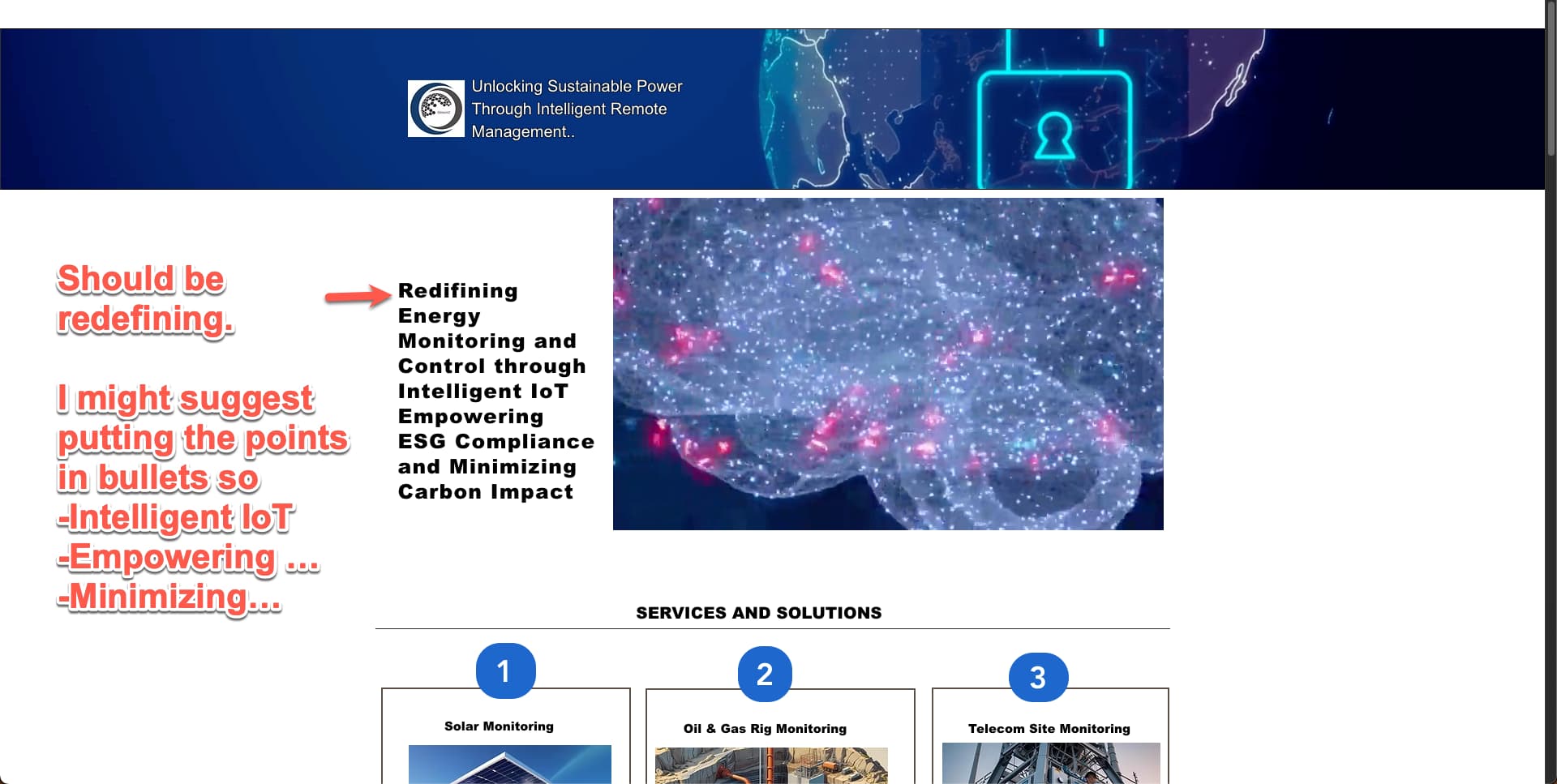
As for feedback, you have a small typo in the hero section and I think you could benefit from spacing out the how you redefine energy monitoring.
Then I using those bullet points, you can segue to elaborating on how the system is Intelligent IoT, how it Empowers ESG Compliance and how it Minimizes Carbon Impact.
You can maybe then maybe use these under those main topics and I’d suggest slightly less text here and the read more on another page where you go more in detail. It could help to see traffic-wise what are people most interested if you see what pages they went to after and can help SEO if you have a page talking only about solar monitoring.
Last point but I’d look into making the images bigger (especially your customers and integrations as they’re good social proof) or allowing users to expand the images so they can see what is going within the predictive analytics and control.
Thanks for your constructive and helpful feedback. Much appreciated. I’ll make the fix right away. Also, regarding the form submission, within the Editor’s preview section, it does show an error message. However, when submitted outside of the preview, the inquiry is successfully accepted and the email is triggered as expected.