I’m having trouble with
I’ve built a calendar for our booking website to show daily availabilty. I’m trying to implement Version 3 of the calendar which will show a 4 month screen, and switch to the single month once the month is clicked on. I’ve implemented this by making a day-widget just a few pixels square, putting 42 of these single days into a calendar widget, Placing 4 of these calendars into a View, and I’m trying to add that view to a container widget which includes the loading screen and single month screen (v1 and v2 had just the single month calendar, built in the same way).
I successfully added the single month calendar and the loading screen views to the container, but it would crash every time I tried to add the four month view to the container. I worked around this by opening two indows, deleting the 4 calendars from the view, adding the empty view to the container, then ctrl+z to restore the 4 calendars to the view widget.
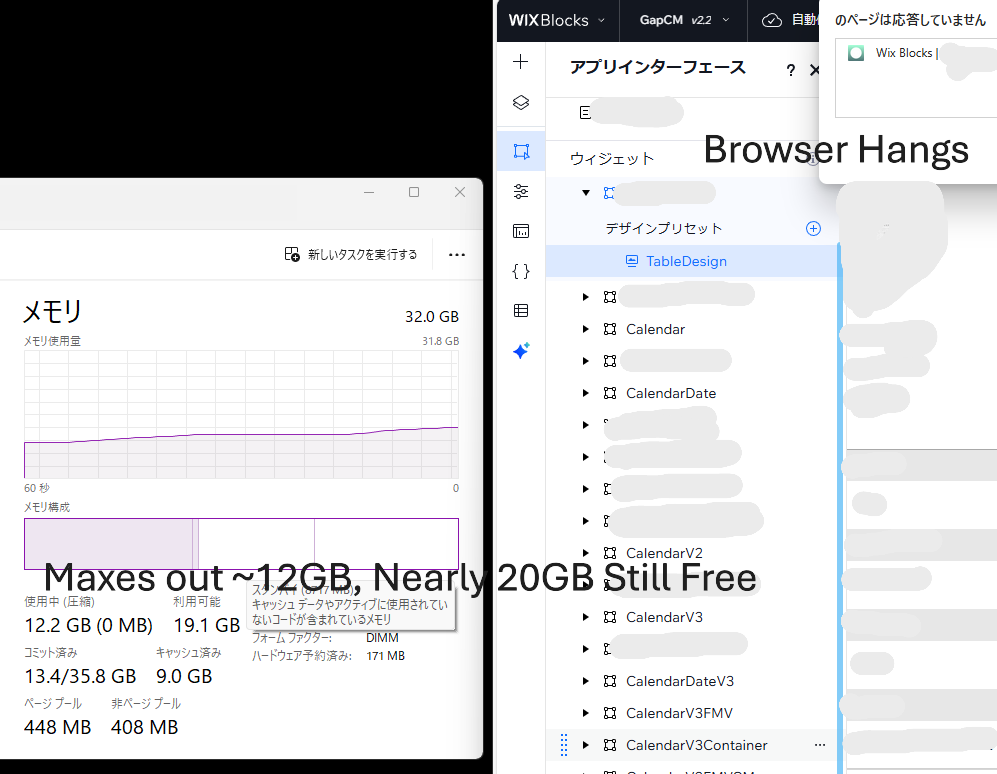
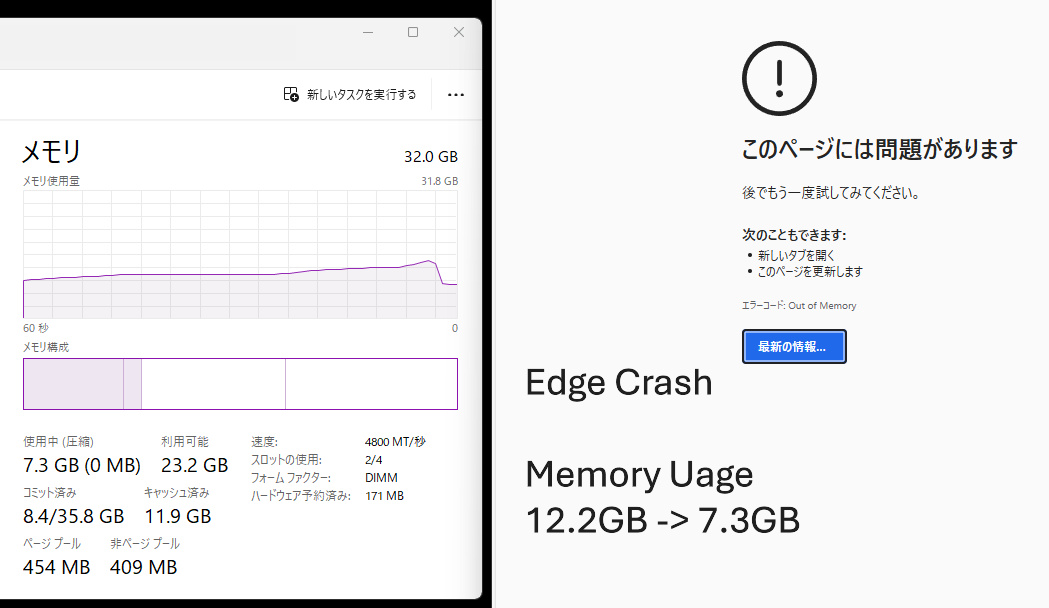
Now when i go to open the container, it crashes without fail from Out of Memory Error. This is very odd because (on both windows and mac) it seems to be using 3GB of memory when the editor loads to the first widget in the list, and when I click on the container, ramps up to 5.5-6GB of usage before it crashes, even though there’s plenty of Memory available. (my MacOS laptop says there’s still 4+GB memory available and the pressure bar is green the entire time, while on Windows it shows I still have 18GB Free Memory space when it crashes, and I tried to add up to 64GB of Pagefile Swap to no avail). I’ve tried looking for any memory limit settings in Chrome or edge or my systems, but cannot seem to find anything that I haven’t already tried.
From what I’m seeing it seems like it may point to a memory leak in the editor.
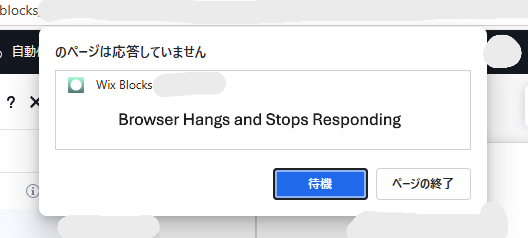
While trying to make this, working on the smaller calendar elements themselves, the editor has been extremely laggy and Hangs for almost any input. Adding an element, clicking and dragging an element anywhere, switching between widgets, every action took between 10 up to 30 seconds to respond, and would give a browser “This page is not responding, would you like to kill the process?” dropdown, which is why it’s taken 3-4 days just to place all the 42 elements (x 2 calendars) and adjust code to get to the point I’m ready to put everything in the main container. It uses a multi-state box and I’ve used multi-state boxes on the individual dates to change the style depending on availaiblity.
I’m really hoping this is something that can be fixed and not a case of “Wix Editor is physically incapable of handling a widget with 200 widgets inside of it”, because that would further prove my developing view that wix is not a serious platform for professionals. I’ve never had a code editor crash because the code base had too many files in it, or because one of the files was too large. I’ve got an idea or two to make it smaller but that would come at the expense of design improvements which I’d like to avoid if possible.
Any help appreciated, Thank you.
Working in
Wix Blocks Editor
What I’m trying to do
Open the widget in the editor.
What I’ve tried so far
MacOS 2019 Intel 16" Macbook Pro 16GB ram 512GB Disk
Chrome (Crashes 100% of the time)
Safari (Caps memory usage for the tab ~500GB, Wix editor cannot load, waited over an hour and was still trying to load)
Windows 11 2 years old self-built computer, 32GB ram 10TB Disk
Edge, Chrome, Brave Browsers
Tried allowing 64GB Pagefiles (swap), up from the 2GB automatic setting
No Luck (Crashes 100% of the time)
Extra context PS Apologies my computer language is Japanese, but the “Out of Memory” errors are clearly visible.

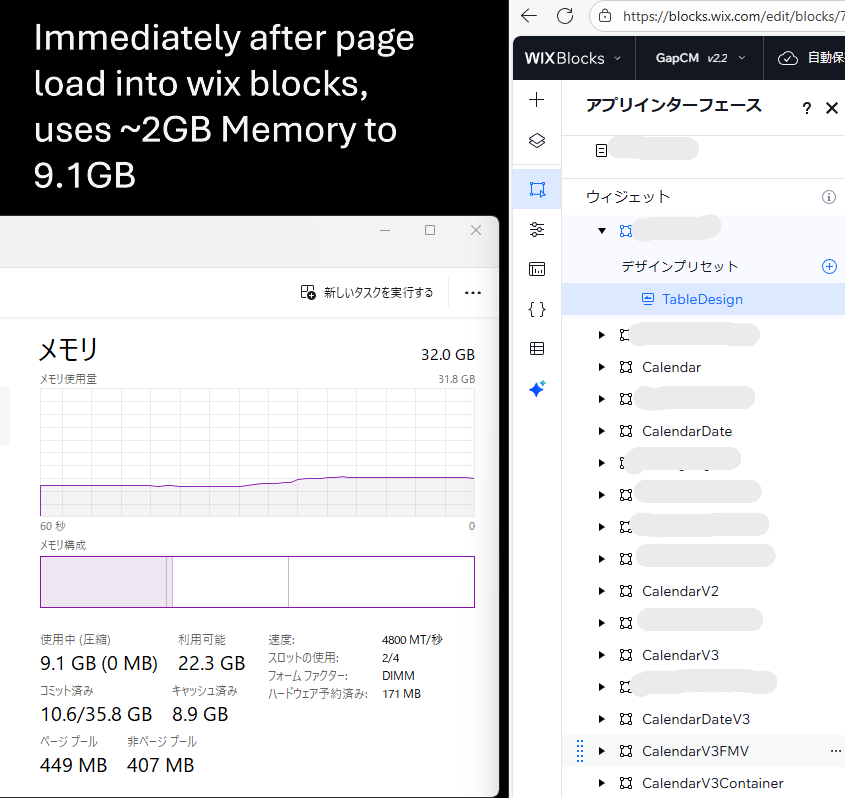
Note here, I press the CalendarV3Container widget Button in the list, and the following photos are the attempt to load and open the widget in the editor, which fails and crashes.